Settings
Configure a tenant — identity and access, model providers and routing, agent capabilities, the governance plane, confidence and escalation, and organizations
Settings is where a tenant is configured: who administers it, which models it may call, what its agents can do, what governs them, and how AskRAI handles an answer it is not confident in. Open Settings with the Settings control in the top navigation bar — this switches the console to the settings plane, where each area below appears in the left Settings sidebar, grouped exactly as it is here. Select Console or Projects in the same top bar to leave it.
Settings is Platform Admin only. A Member does not see the Settings control at all, and a Settings link they open sends them back to Projects. Grant the role on the Access page.
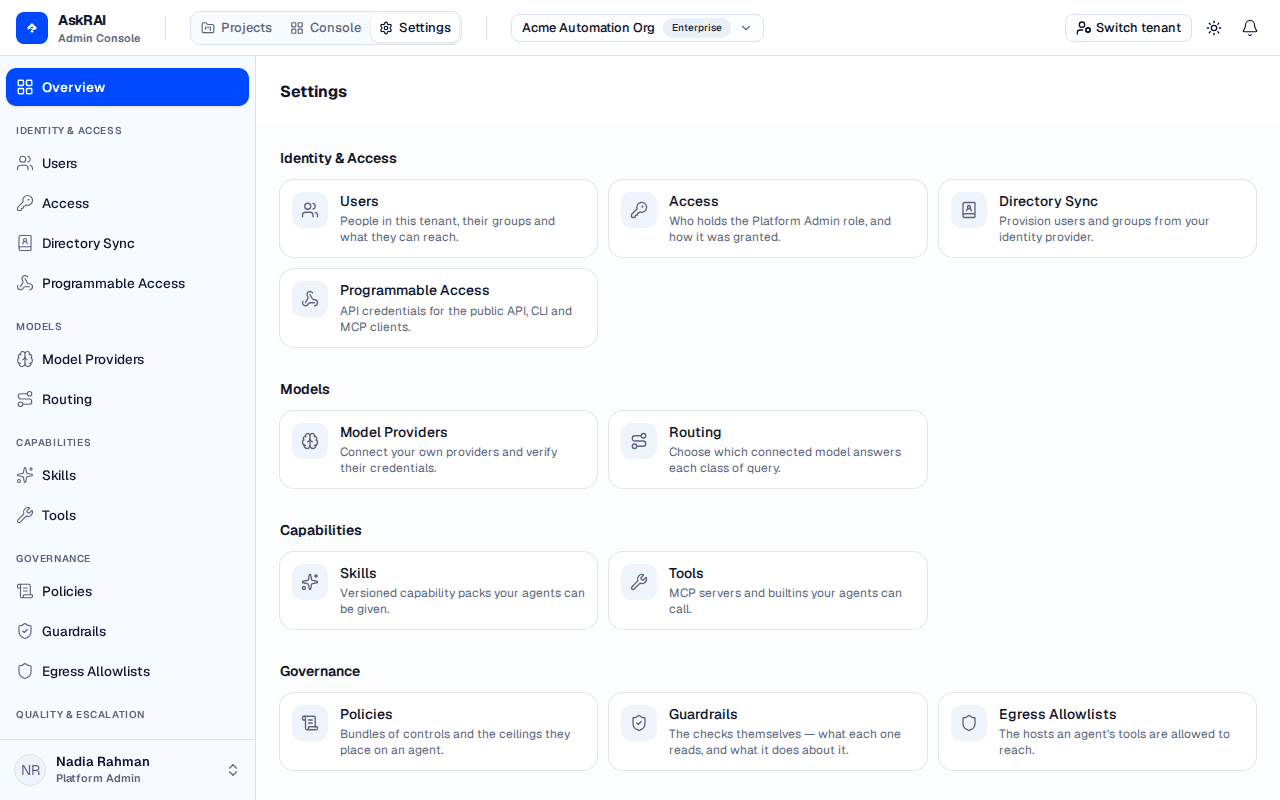
The overview and the sidebar are built from one list, so an area appears in both or in neither.
Identity & Access
Users
People in this tenant, their groups and what they can reach.
Access
Who holds the Platform Admin role, and how it was granted.
Directory Sync
Provision users and groups from your identity provider over SCIM 2.0, or pull them from Google Workspace.
Programmable Access
API credentials for the public API, CLI and MCP clients.
Models
Model Providers
Connect your own providers and verify their credentials.
Routing
Choose which connected model answers each class of query.
Capabilities
Skills and Tools decide what an agent is able to do.
Skills
Versioned instruction packs your agents can be pinned to, adopted from a platform catalog or written yourself.
Tools
MCP servers your agents can call, and the review every tool passes before one may.
Governance
Governance decides what an agent is allowed to do. The three areas are one plane, administered together under a single permission.
Policies
Bundles of controls and the ceilings they place on an agent.
Guardrails
The checks themselves — what each one reads, and what it does about it.
Egress Allowlists
The hosts an agent's tools are allowed to reach.
Quality & Escalation
Confidence Thresholds
Where an answer counts as high, medium or low confidence.
Escalation Rules
Automated actions taken when an answer falls short.
Alerts — notification channels for escalations and platform events — carries a Coming soon badge. It is the one Settings area with no permission of its own, so anyone who can reach Settings can open the placeholder.
Platform
Switch tenant in the sidebar is an AskRAI support control rather than a tenant setting. It is shown only to AskRAI staff, and because it is an action rather than a page it has no card on this overview.