Project Memory
Turn memory on for your tenant, and write the rules every agent on a project is told in every beat, such as a release cadence or a house style, within the project's bounds and with secrets kept out
A project's memory is a set of short notes its team's agents are told in every beat: a fact about the work, a preference, a lesson, a decision. Write one once, such as Release cadence: ships every second Tuesday, and every agent on the project works to it, with nobody restating it in each agent's instructions.
A memory is not a knowledge pack. A pack holds documents an agent searches when its work needs them. A memory is short, and stated whole to every agent in every beat.
Turning memory on
Memory is off until a Platform Admin turns it on for your tenant. Open the Admin control in the top navigation bar, then choose Memory under Platform, after Platform configurations, and turn on the switch of the Project memory card.
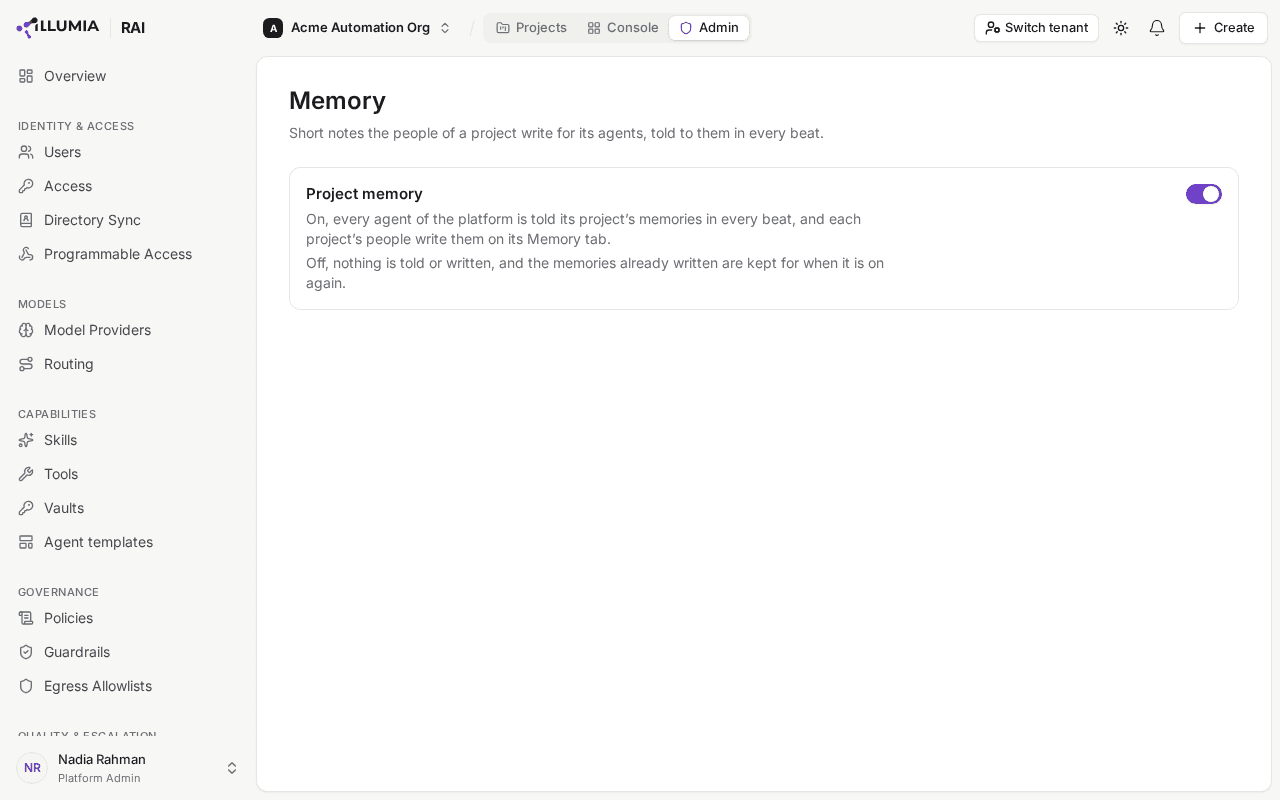
One switch for your whole tenant: on, every project's agents are told its memories.
The Memory page opens to the holders of View memory, read-only, and of Manage memory, who turn it on and off; Platform Admin holds both. Both are assigned to users or groups through roles under Admin → Access.
- On, each project shows a Memory tab, and every agent is told its project's memories from its next beat.
- Off, no agent is told a memory and none can be written. A project's memories are kept, so turning memory back on brings them back.
Each change of the switch is an entry in the Change Log, under Memory. "Platform" here means your tenant: no memory reaches another tenant.
The Memory tab
While memory is on, open a project and choose its Memory tab, after Configurations. It lists the project's memories in the order they were written, each with its title, its text, and who last changed it.
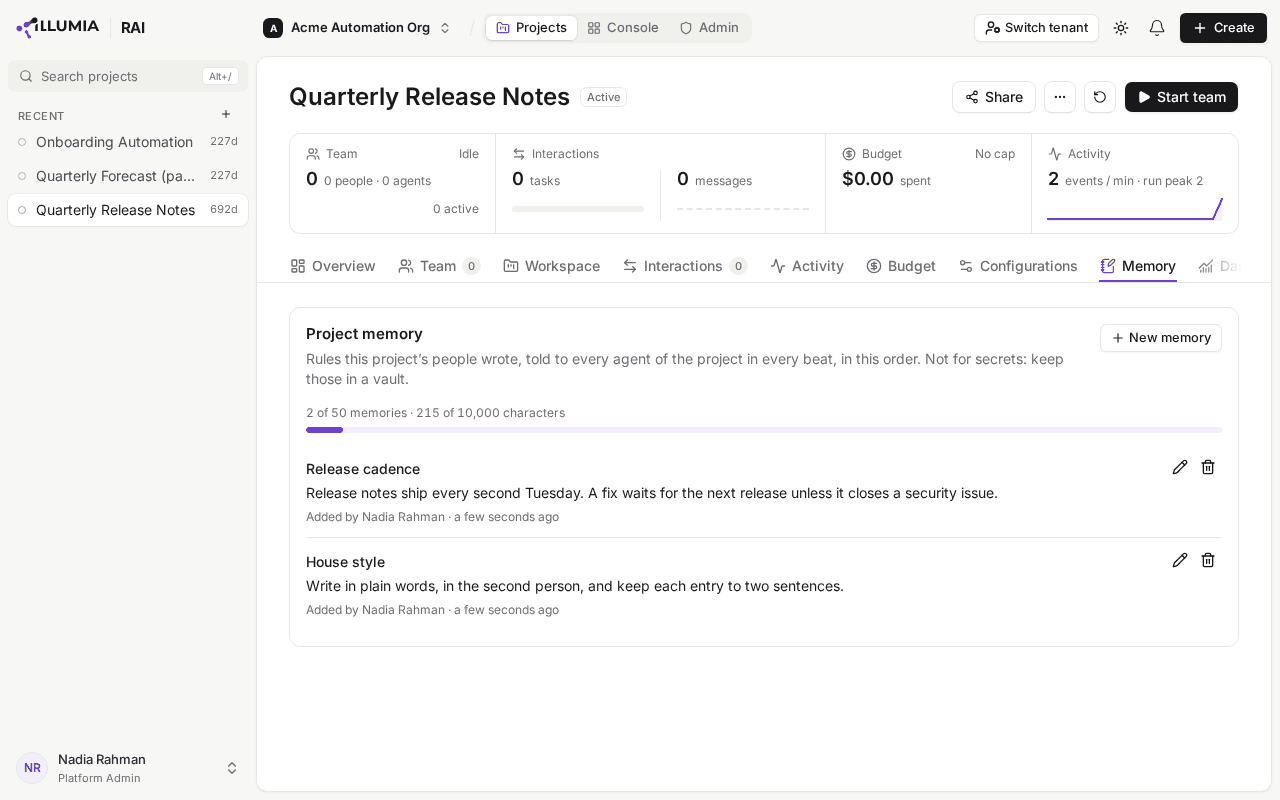
The bar fills toward whichever bound is nearer: the count or the characters.
Above them, the tab shows how much of the project's memory is used:
| Bound | At most |
|---|---|
| Memories | 50 |
| Characters, of every title and text together | 10,000 |
| Field | Holds |
|---|---|
| Title | One line of up to 80 characters |
| Text | Up to 2,000 characters. Line breaks are kept |
A memory that would pass either bound is refused: nothing is removed to make room. Edit or remove a memory first.
Adding, editing and removing a memory
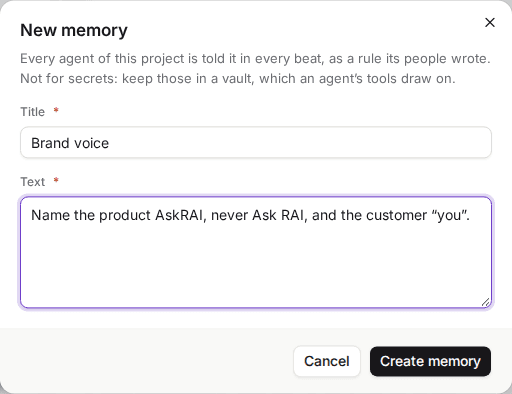
A memory is a title and a text, told to every agent of the project.
Add one. Click New memory, enter its title and text, and save it.
Edit one. Click Edit on its row to change its title or text.
Remove one. Click Remove on its row and confirm. A removed memory is deleted at once.
You can also choose Create → Memory at the right of the top header, which opens the Memory tab of the project you have open, with New memory open. It is disabled, with the reason, below Write access to the project or while it is Archived, and is not in the menu while no project is open or memory is off.
Each change is a line in the project's Activity naming the memory's title, the change and who made it.
Who can change them
Anyone with Read access to the project sees its memories. Adding, editing and removing one need Write access: below it, the controls are disabled with a reason naming the access they need. On an Archived project they are disabled for everyone.
What the agents are told
From their next beat, the project's agents are told its memories as part of their instructions, after its configurations, in the order they were written. The project's assistants are told them in each reply too. A change reaches the next beat or reply, with nothing to restart.
A memory shapes what an agent does as its instructions do; it is not a rule the platform enforces. To hold agents to a rule whatever they make of it, use guardrails and policies.
Not for secrets
A memory is told to every agent on the project in plain text, so it must never hold a password, an API key or a token. A memory that looks like a credential is refused when you save it. Keep secrets in a vault, which an agent's tools draw on without the agent ever reading them.
When a project is deleted
Deleting a project deletes its memories with it.
Project Configurations
Name the values a project's agents and assistants are told in every beat, such as the currency its reports use, set one for every project of an organization, give one agent a value of its own, and keep secrets out of them
Dashboard
Arrange a project's Dashboard tab of cards and charts — pin an assistant's dashboards to it, chart the project's events, follow the figures live, and write widgets through the API